
Register/Log in

Register or sign in to your existing Kaufes account.
Account Login:
Go to the login page and enter your email address and password to sign in to your Kaufes account.
Navigate through the account settings:
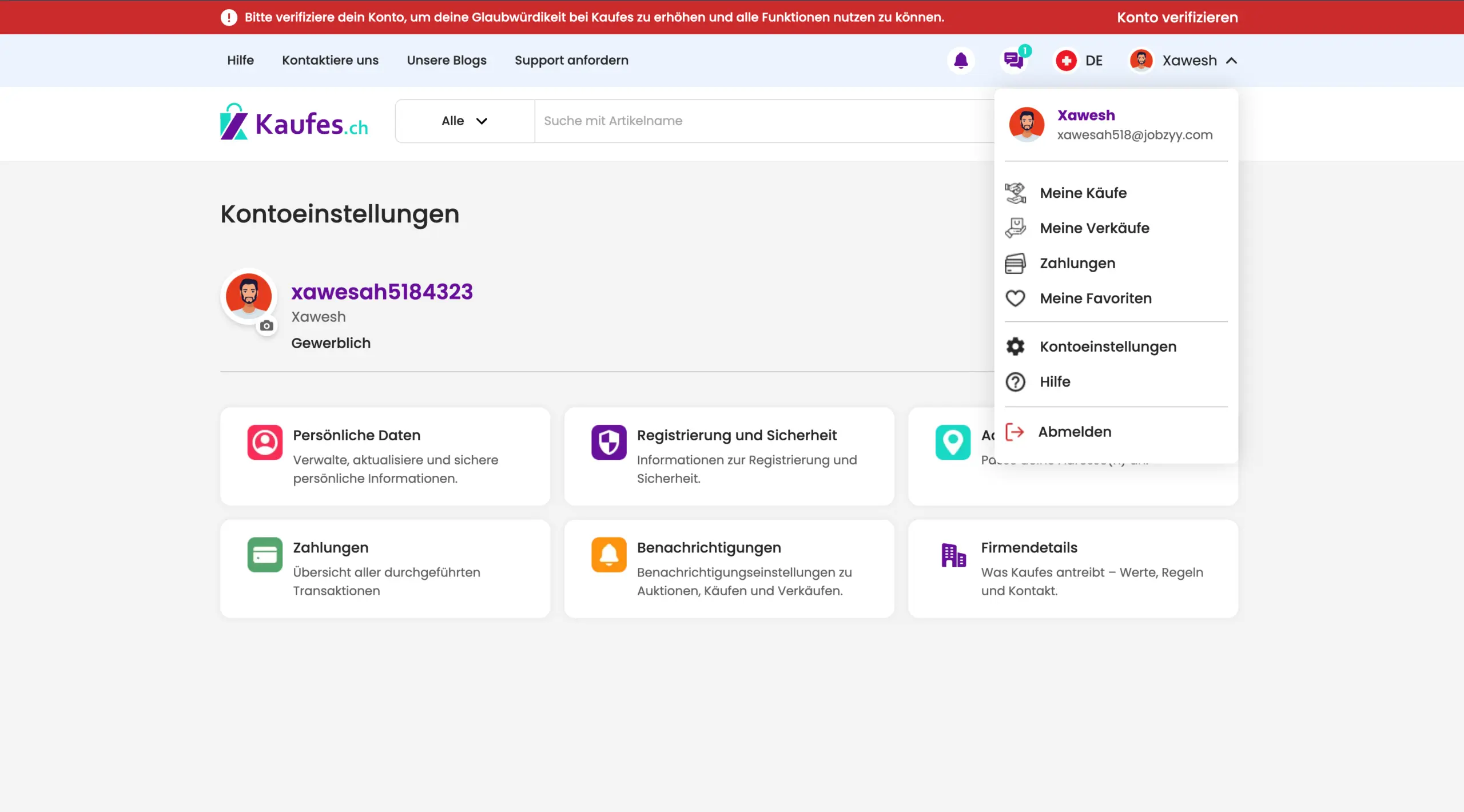
In the dropdown menu under your profile name at the top right of the homepage, click on “Account Settings.”
To Become a Commercial Seller:
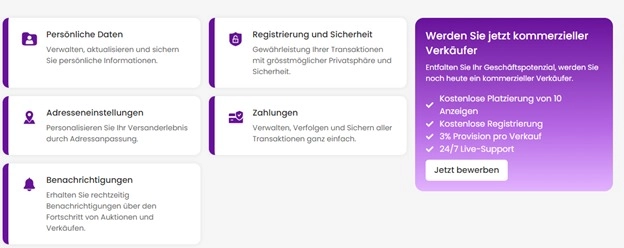
Follow the steps below to become a commercial seller:
Click the “Apply Now” button to start your application.
Becoming a commercial seller on Kaufes offers you numerous advantages that can enhance your selling experience and boost your business potential.
Benefits of Being a Commercial Seller on Kaufes:
- Post free listings:
Create up to 10 free listings and showcase your products to a wide audience of buyers.
- Free Registration:
Registering as a commercial seller is free and straightforward.
- Low Commission Fees:
Enjoy an attractive commission rate of only 2% per sale, significantly lower than on many other platforms. This fair fee structure ensures you keep a larger share of your profit, making your business more sustainable and profitable in the long run.
24/7 Live Support:
Access to 24/7 live support ensures that any issues are resolved quickly and efficiently.
This minimizes downtime and continuously improves your selling experience.
By taking advantage of these benefits, you can unlock the full potential of your business, reach a wider audience, and increase your profitability sustainably through the Kaufes platform.
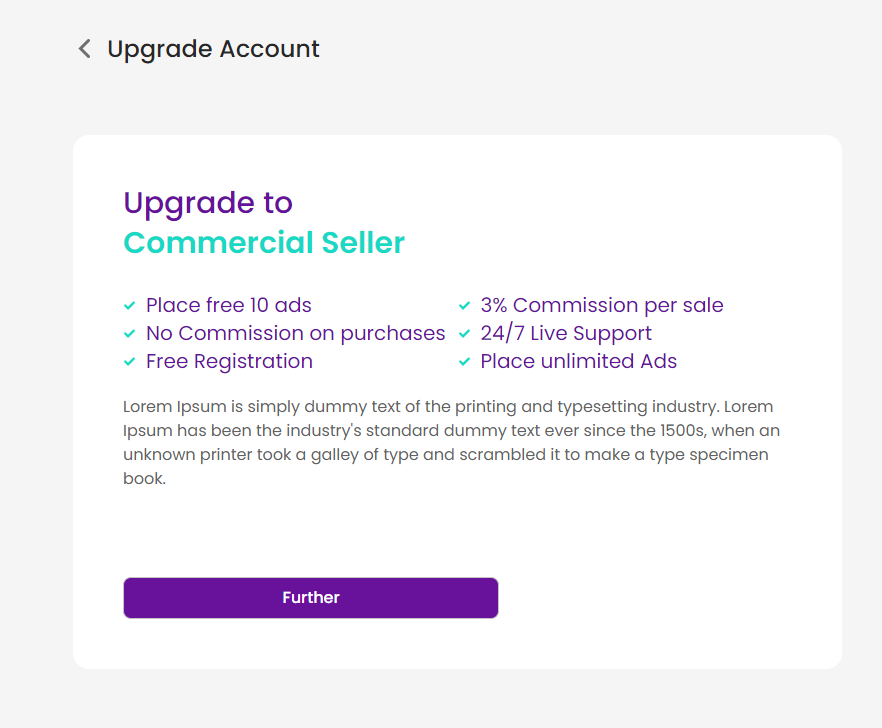
Click the “Next” button to begin your journey as a commercial seller and make the most of the diverse market opportunities on Kaufes.
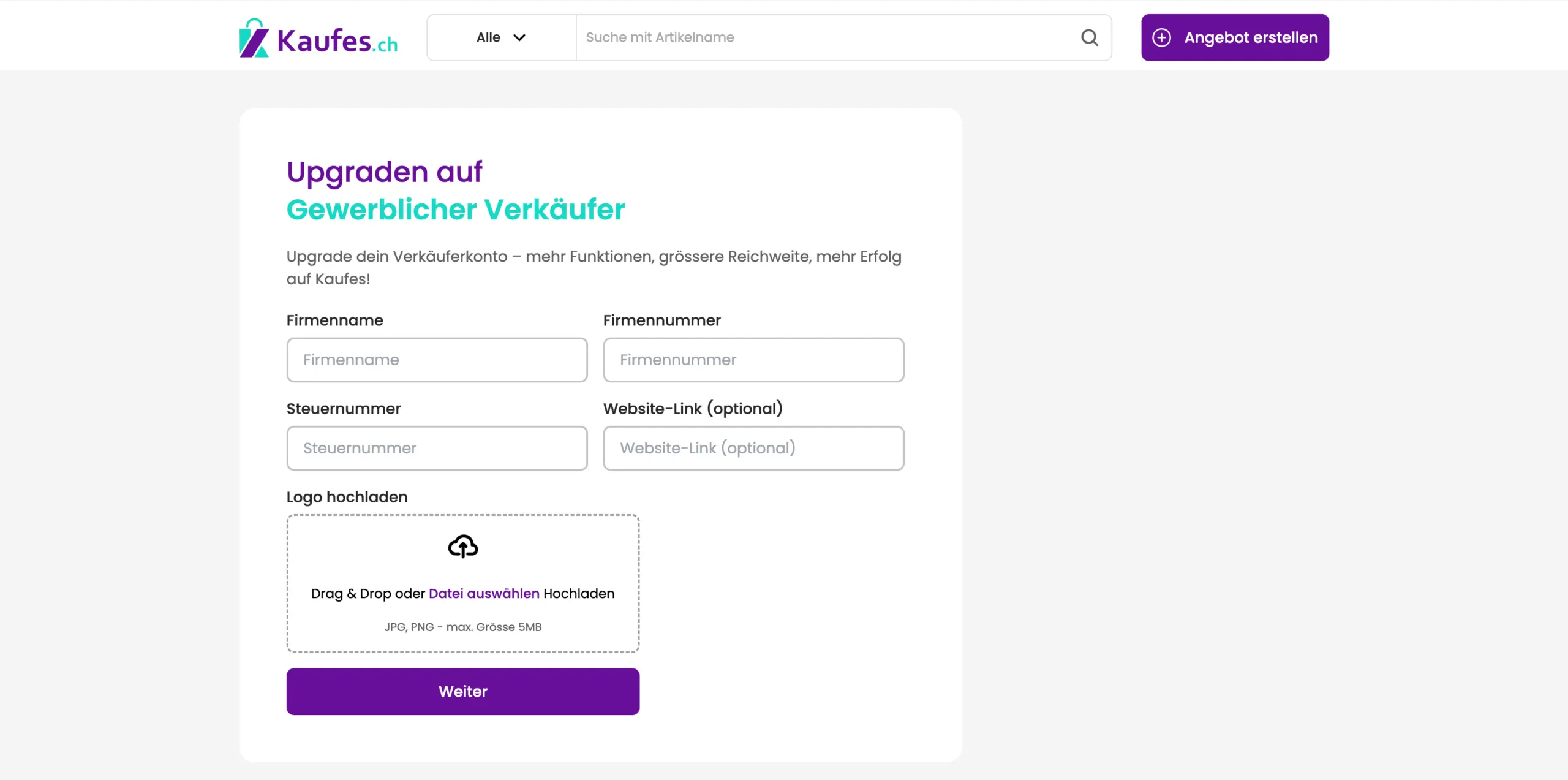
Enter your company name, company number, tax number, and optionally the link to your website.
Then upload your logo (maximum size: 10 MB) and click “Next.”
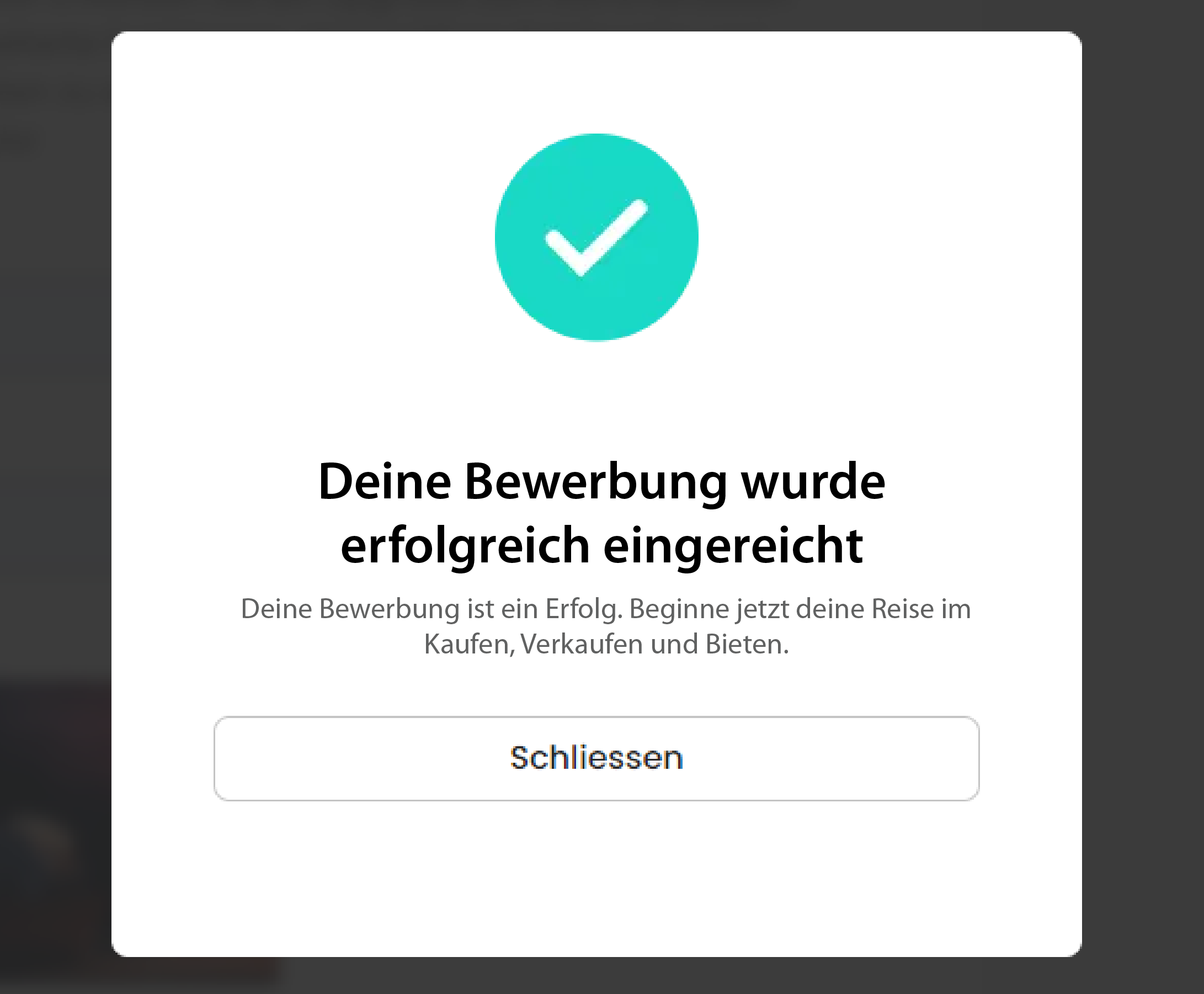
After submitting your application, a pop-up window will appear confirming that you are now registered as a commercial seller.
Step 2: Prepare Your Items for Sale
Choose Your Items:
Select items that you believe will be interesting to buyers. Make sure they are clean, complete, and in good condition.
Photograph Your Items:
Take clear, well-lit photos from different angles to present your items attractively.
Step 3: Publish Your Listing
Title:
Write an appropriate title based on your product.
Choose Category:
Place your item in the correct category so buyers can find it easily.
Upload photos:
Make sure your photos are in .jpeg or .png format and no larger than 5 MB.
You must upload at least one photo.
Upload video:
You can upload a video with a maximum size of 150 MB or about 1 minute in length.
Condition:
Select the condition of your product, such as used, new, new (open box), unopened, or defective.
Product Description:
Describe your item in detail and mention any defects, measurements, or special features.
Price Your Item
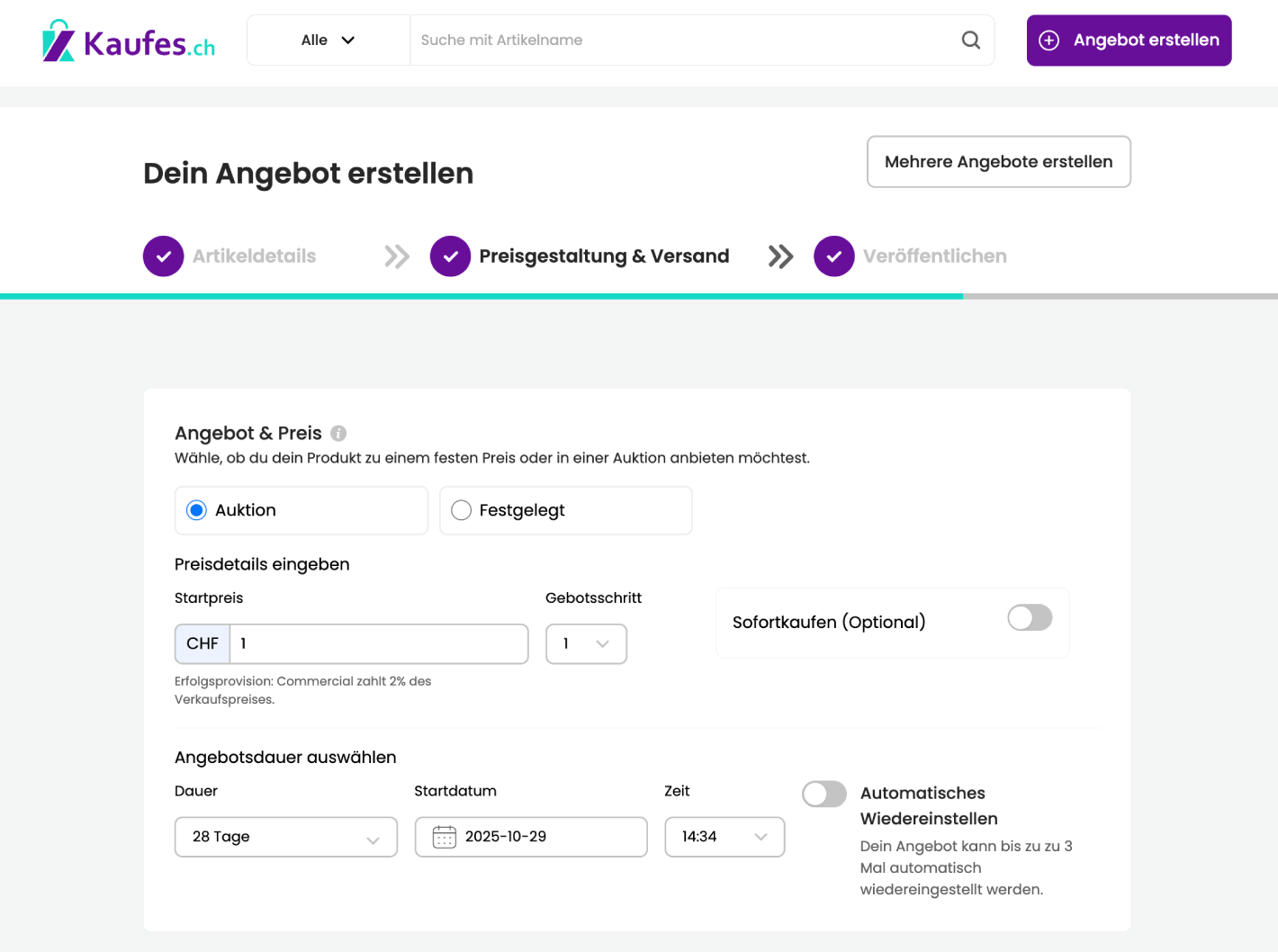
Set a Price
Set a price for your item or offer it as an auction at a competitive rate.
Shipping options:
Indicate whether you are offering shipping or local pickup. Don’t forget to include any applicable shipping costs.
Select Duration:
When listing your item on Kaufes, decide how long it should remain visible to buyers.
Choose from the dropdown menu how long your listing should stay active, for example, 1 day or longer.
Start date:
Click “Select Date” to choose when your listing should go live.
Time:
Choose the time at which your listing should appear online.
Automatic Relisting:
If you want your listing to be automatically relisted up to three times if it does not sell, enable the “Auto Relist” option.
Delivery:
When listing an item on Kaufes, make sure your delivery options are set correctly.
Pickup:
Check your pickup address and ensure it is correct.
Shipping options:
Choose how you want to ship your item.
You have two options:
- Parcel: For larger items (up to 100 × 60 × 60 cm).
- Letter: For smaller, flat items (up to 25 × 35.3 cm).
Payment:
When buying or selling on Kaufes, you can choose between two payment methods:
- Cash payment: If you pay or sell with cash, have the exact amount ready.
- Bank transfer: If you pay by bank transfer, ensure all details are correct and send the buyer a receipt if needed.
Select Boost:
Choose a boost option to increase the visibility of your listing and reach more buyers.
Review and publish:
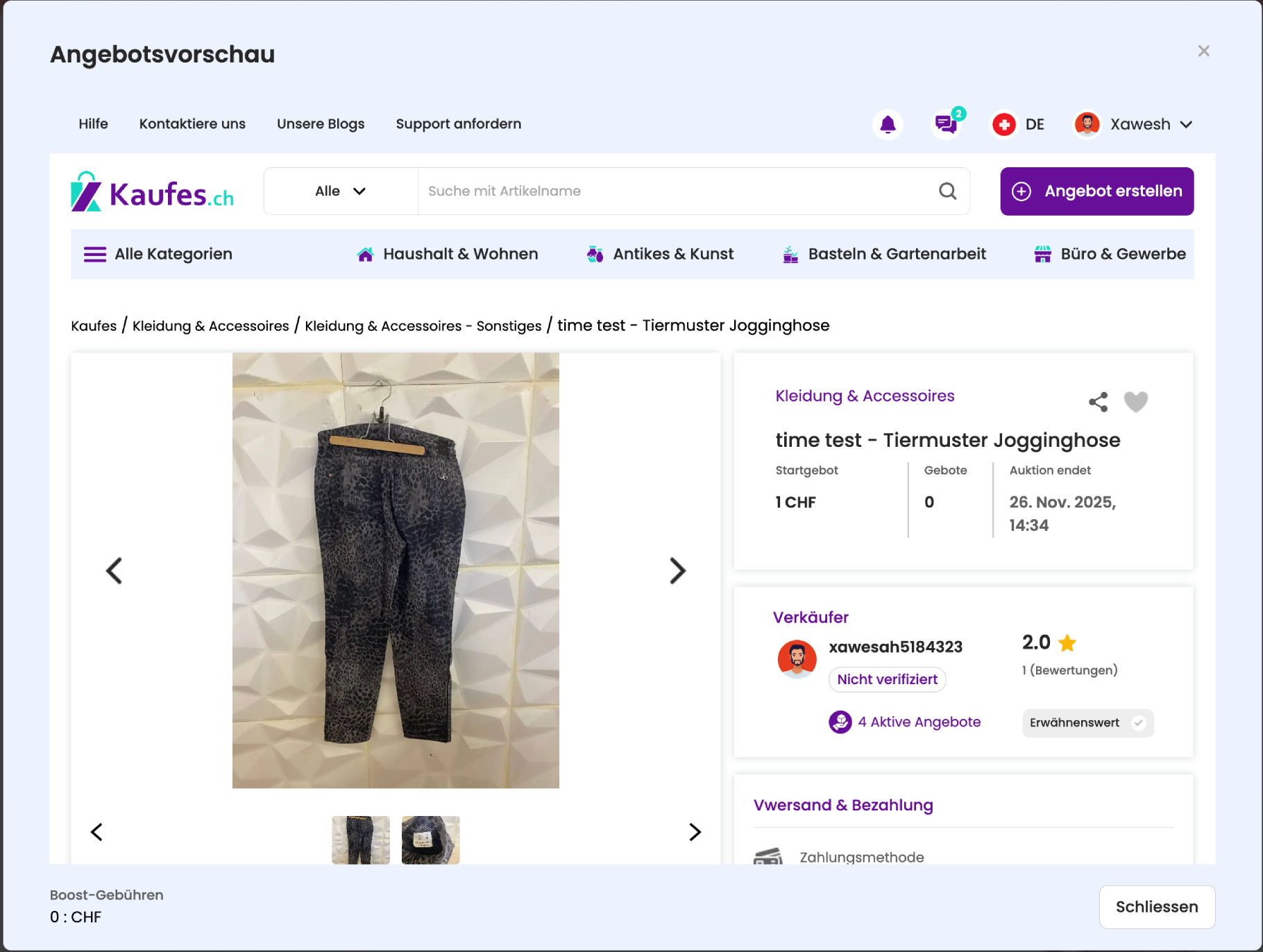
If you are satisfied with your listing and your chosen boost option, click “Preview and Publish” to see how your listing will appear.

Go through all the details again to make sure everything is correct. If everything looks good, publish your listing with a single click.
Important Notice:
By publishing your listing, you agree to the Kaufes Terms and Conditions.
Please note that a 2% commission will be charged on each successful sale.
Choosing the right boost for your listing can significantly improve your selling experience on Kaufes and ensure that your products receive the attention they deserve.
Manage Sales
Communication:
Respond to questions from potential buyers in a timely manner.
Freshness:
Keep your listings updated regularly so they remain appealing and easier to find.
Payment Confirmation:
Before shipping the item, confirm that payment has been received through Kaufes.
Shipping:
Ship the item immediately after payment confirmation and share the tracking information with the buyer.
After-Sales Service
Feedback:
Ask buyers to leave feedback to build trust and strengthen your reputation.
Improvement:
Analyze your selling experience and consider what you can improve next time.
Tips
Learn from the Best:
Check out successful sellers to get ideas on how to improve the presentation of your listings.
Stay Informed:
Monitor market trends to keep your prices and offers competitive.